A construction company building out a new Collingwood corporate office needed a modern, easy-to-use boardroom as part of the project. The client wanted BYOD conferencing, simple control, and consistent performance for both internal collaboration and external calls. The new office sits in the Collingwood employment corridor near the Cranberry area. As a repeat client, they trusted Summit Logic to deliver a reliable corporate boardroom system.
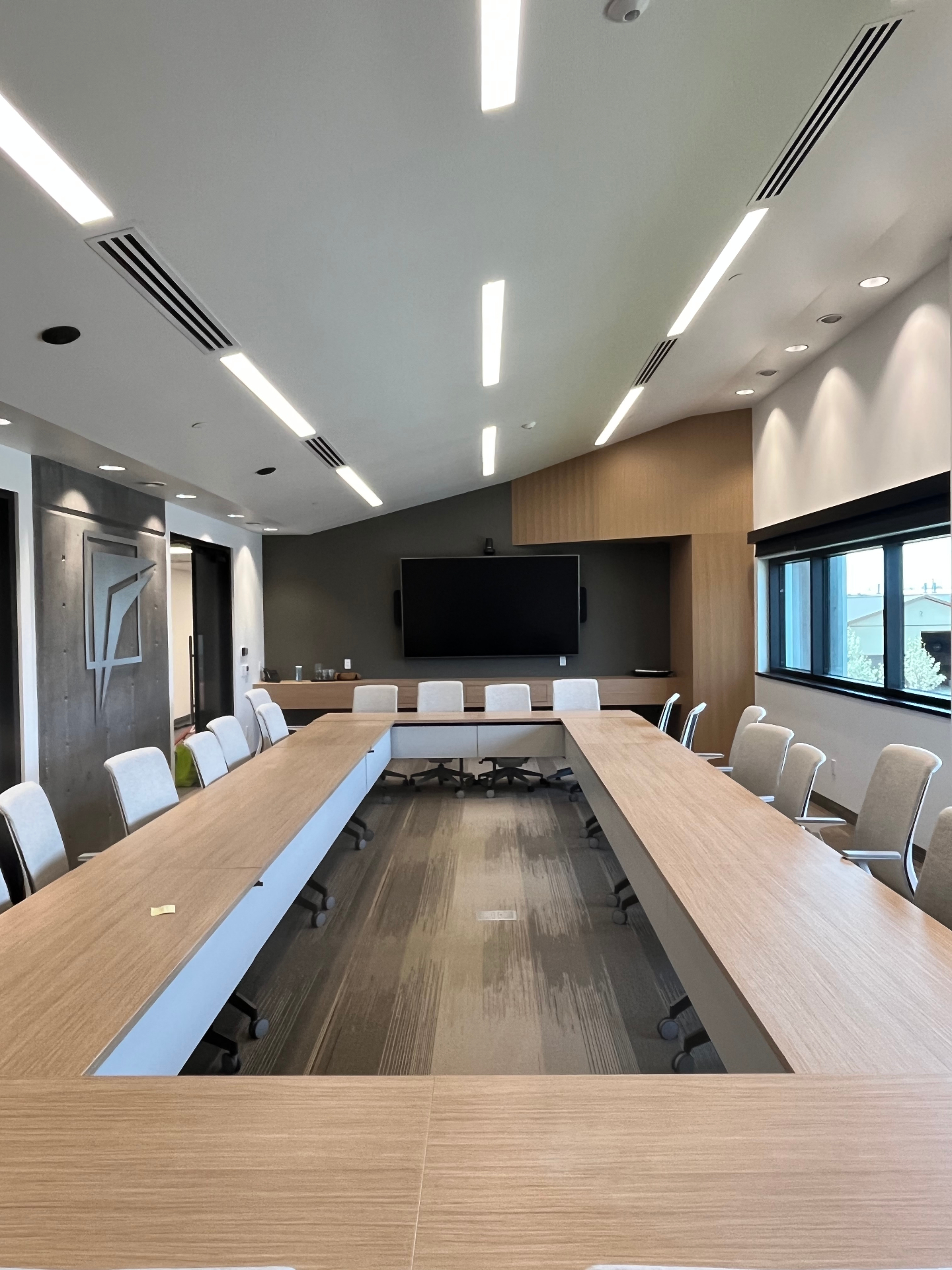
We installed a 98-inch commercial display, Crestron control, Barco ClickShare wireless collaboration, Logitech Rally conferencing hardware, and Lutron motorized shades for ambient light control. The result is a clean, high-performance boardroom that staff use confidently every time.
Client Goals
- Simple, intuitive room control
- BYOD support for all users
- Reliable audio and video conferencing
- Wireless content sharing
- Consistent experience for all meeting platforms
- Manage ambient light for better screen visibility
- Integrate the system into a new office build
Our Solution
We deployed a Crestron-controlled conferencing system centered around a 98-inch commercial display and Logitech Rally video/audio hardware. Barco ClickShare was added to enable effortless BYOD collaboration, allowing users to connect wirelessly or with a simple puck. Lutron shades were installed to reduce glare and improve the conferencing environment.
Because this was a repeat client, coordination with the GC and electrical trades was straightforward. The final system is dependable, intuitive, and ready for daily use with minimal training.
Scope of Work
- Installation of 98-inch commercial TV
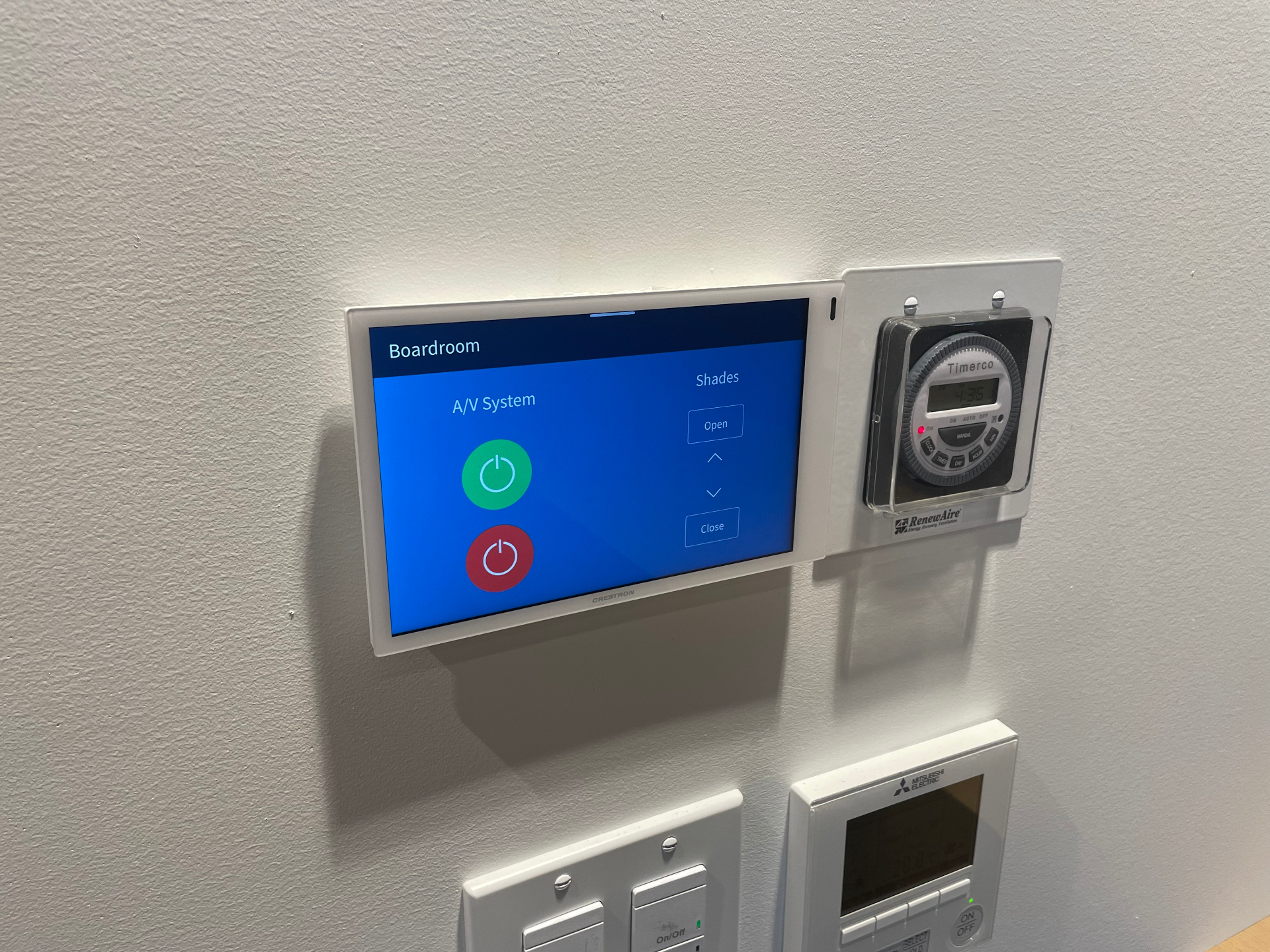
- Crestron control system programming
- Deployment of Barco ClickShare for BYOD conferencing
- Installation of Logitech Rally camera, microphones, and speakers
- Installation of Lutron motorized shades
- Unified room workflow integration
- Clean installation and user orientation
Technology Used
Displays & Visuals
- 98-inch commercial-grade display
Control & Automation
- Crestron control system
- Custom programmed user interface
Conferencing Hardware
- Logitech Rally camera system
- Ceiling microphones and Rally speakers
Wireless Collaboration
- Barco ClickShare (BYOD)
Lighting & Environment
- Lutron motorized shades
Installation Features
- Clean cable routing and mounting
- Clean integration into the new office build
- Consistent, single-interface user experience
Photo Gallery
What Makes This Project Unique
- Repeat client relationship
- Full BYOD support across wireless and wired workflows
- Professional-grade audio and video performance
- Integrated environmental control via Lutron shades
- Delivered alongside office construction timeline
- Highly intuitive control experience
Client Testimonial
"The client expressed how thrilled they were with the new conferencing setup. After follow-up testing, they reported exceptional ease of use, dependable performance, and consistent meeting quality."
Related Services
Frequently Asked Questions
What is a BYOD boardroom and why use it in a Collingwood office?
BYOD means bring your own device — staff and visitors connect their own laptops to the room hardware instead of fighting with a fixed PC. In this Collingwood corporate boardroom, Barco ClickShare lets anyone share wirelessly through a puck or app, and Logitech Rally handles camera and audio for Teams, Zoom, or Google Meet. The room behaves the same regardless of who is hosting. That predictability is what most Collingwood and Cranberry-area offices actually need from a conference room.
How long does it take to deliver a conferencing room as part of a new office build?
When we are coordinated into the construction schedule, the AV install runs alongside electrical and drywall trades. Rough-in typically takes a day. Trim and commissioning land at one to two days after final paint. For a single boardroom in a new Collingwood office build, the entire AV scope fits within the construction window without delaying handover. Pre-construction coordination with the GC is the difference between a clean install and a wall full of patch holes.
Will the system work for Microsoft Teams, Zoom, and Google Meet?
Yes. The Logitech Rally camera, microphones, and speakers present as a standard USB device to any laptop. Teams, Zoom, Google Meet, Webex, and GoToMeeting all see the room hardware automatically. Crestron handles room control, display power, and shading. ClickShare adds wireless content sharing on top. The result is one conferencing room that any visitor can join without retraining. This is the same setup we use across corporate boardrooms in Collingwood.
Why use Lutron motorized shades in a boardroom?
Daylight on a 98-inch display destroys image quality and pulls focus during a call. Lutron shades drop automatically on a Crestron scene the moment a meeting starts, then return to a daylight position when the room is empty. Scenes also tie shades to time of day so the boardroom is comfortable through morning sun and afternoon glare. For a Collingwood office facing west toward the escarpment, this matters every afternoon, not just on bright days.
Do you service this conferencing system after install?
Yes. Summit Logic services every Crestron, ClickShare, and Logitech room we deploy in Collingwood. Most issues are resolved remotely through Crestron monitoring before the client notices. Firmware updates, source reconfigurations, and platform changes are handled under a service agreement. On-site visits are scheduled within standard business response. The room stays current as Teams, Zoom, and laptop generations change, which is the part most BYOD installs ignore.
Upgrade Your Meeting Room Experience
Give your team the tools they need to collaborate confidently and effectively.
Book a Consultation