Meeting Room Audio: Why Calls Sound Bad
Most bad meetings sound the same. Someone on the call says "you're breaking up" or "there's an echo," and the room starts talking louder. That rarely helps. Meeting room audio problems usually come from the room itself and the way it is set up, not from the platform or the internet.
The good news is that each symptom points to a cause. Here is how to read what the remote people hear, what causes it, and what fixes it. This guide applies to boardrooms, huddle rooms and training rooms in Collingwood offices, private clubs and venues across Southern Georgian Bay.
Meeting room audio: start with what people hear
Ask the people on the far end to describe the problem. Their words tell you where to look.
- "I hear my own voice back": an echo from the room's speakers.
- "You sound far away" or "hollow": the room itself is too live.
- "I can't hear the people at the end of the table": microphone coverage.
- "There's a hum" or "a fan noise": background noise in the room.
Each one has a different fix. Buying a new camera bar fixes none of them on its own.
"I hear my own voice back"
This is echo, and it starts with the speakers in your room. The far-end voice comes out of the speaker, bounces into your microphone, and goes back to them a moment later.
Systems have echo cancellation built in to stop this. It struggles when the speaker is too loud, when the microphone sits too close to the speaker, or when two devices in the room are both on the call. That last one is common. Someone joins from a laptop with the sound on, and now there are two microphones and two speakers fighting each other.
The fix: keep the room volume sensible, keep microphones away from speakers, and join from one device per room.
"You sound hollow and far away"
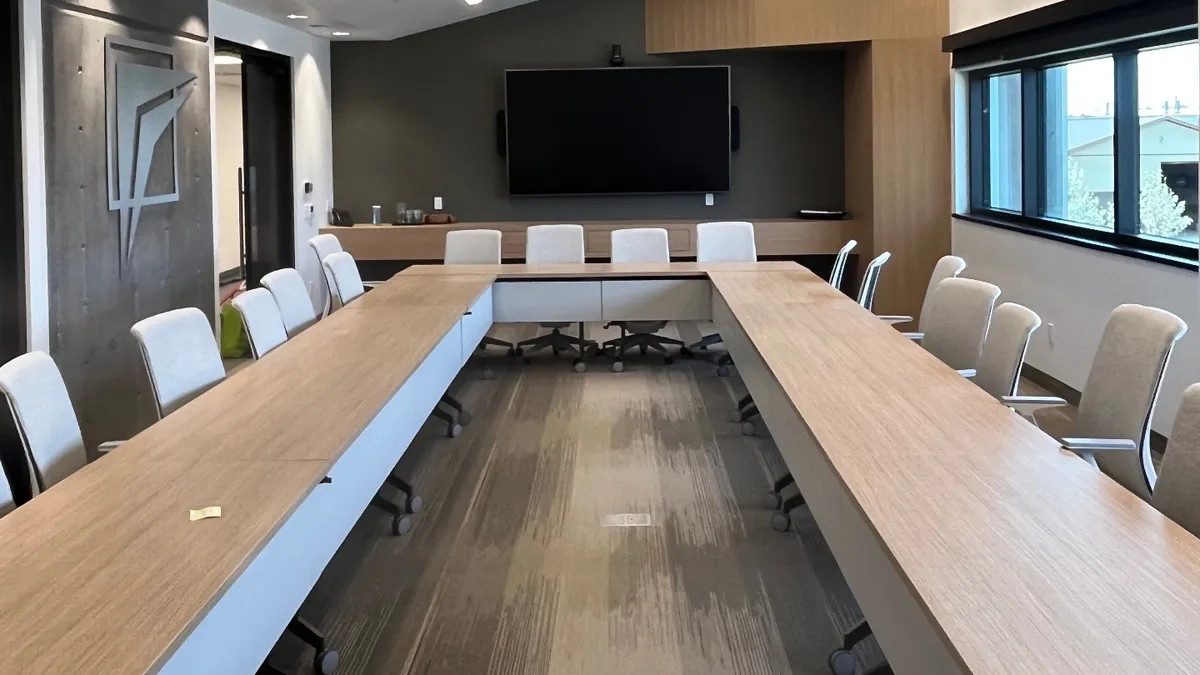
This one is the room. Glass walls, hard floors, bare ceilings and a big table all reflect sound. Each voice reaches the microphone many times, a split second apart. The result sounds like a call from a stairwell.
A better microphone does not fix a live room. Softening it does. Acoustic panels on large flat walls, drapery over glass, and a rug under the table all cut those reflections. Start with the largest hard surface and work from there.
"I can't hear the end of the table"
A single microphone at the front of the room hears the nearest seats best. Voices at the far end arrive quieter and mixed with more room echo.
Larger rooms need microphones spread across the space. Ceiling microphone arrays are one answer. We put ceiling arrays in any meeting room over four seats, because they cover every seat without cables on the table. Our video conferencing installs are planned around that coverage.
Hum, fans and background noise
Microphones hear everything in the room. A projector fan, a noisy air vent or a busy hallway all end up in the call.
Some of this is fixed with settings, like noise reduction. Some needs a physical fix, like moving a microphone away from an air vent or closing a door. Check the room with the HVAC running, since that is how it will sound in a real meeting.
Test it like a real meeting
Most problems show up only in a real call, so test that way. Every room we install is commissioned with a staged call. We check microphone pickup from every seat, camera framing, screen sharing and how the call joins. When you test a room yourself, run it at normal volume with the HVAC on.
Rooms drift after install. Furniture moves, someone adds a speakerphone, firmware updates. A service contract can include readiness checks before key meetings, so problems are found before the client call.
Questions we get
Why do remote people hear an echo from our meeting room?
Usually the room speaker is too loud, a microphone sits too close to it, or a second laptop in the room has joined the call with its sound on.
Will a better microphone fix a room with glass walls?
Not on its own. A hard, live room makes any microphone sound hollow. Add absorption, like panels, drapery or a rug, and then tune the microphones.
How many microphones does a meeting room need?
It depends on the size. Small huddle rooms often work with one. We use ceiling arrays in any room over four seats, so every seat is covered.
Why does the far end of the table sound quiet?
Those seats are farthest from the microphone. Spread pickup across the room with ceiling arrays or added microphones.
Should everyone in the room join from their laptop?
No. Join from the room system only. Extra laptops with sound on create echo and feedback.
Do you install meeting room audio in Wasaga Beach and Thornbury?
Yes. We install across Collingwood, The Blue Mountains, Thornbury, Meaford, Wasaga Beach, Creemore, Craigleith, and Clarksburg. See our conference room page.
Fix the room before the gear
Meeting room audio problems are easier to fix once you know the symptom. An echo points to speakers and devices. A hollow sound points to the room. A quiet far end points to microphone coverage. Fix the room, cover every seat, join from one device, and test with a real call. Most rooms go from frustrating to forgettable.
Call 249-444-7793 to book a free design consultation. We will walk the room and plan audio that covers every seat.